
Aviationstack is a scalable REST API for real-time flight tracking, historical flight data, airport info, and global aviation data.
from $49.99/mo
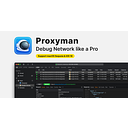
Proxyman (Developer Tools): Proxyman is a native HTTP debugging proxy for macOS, Windows, and Linux to capture, decrypt, and mock network traffic. Pricing: from $89/device. (data verified July 2026)
Transparency: if you buy through our links we may earn a commission, at no extra cost to you. Rankings cannot be bought. How we rate tools
Proxyman is a best-in-class native HTTP debugging proxy for macOS, Windows, and Linux. It captures, decrypts, and mocks HTTP/HTTPS requests and responses with powerful debugging tools. Used by 500,000+ developers worldwide, Proxyman acts as a man-in-the-middle server to inspect traffic between your applications and SSL web servers — all with a single click on macOS or via standalone mobile apps for iOS and Android.
Proxyman is designed for developers, QA engineers, and IT professionals who need to debug network traffic, test APIs, or mock responses during development. It works for individuals and teams on macOS, Windows, Linux, and mobile. If you need to filter noisy traffic, modify requests on the fly with breakpoints, or automate debugging with scripting, Proxyman fits your workflow. It is not for non-technical users or those needing a cloud-based proxy service.
Debug slow API calls by analyzing headers and payloads side by side. Mock server responses with Map Local or Map Remote to simulate edge cases without backend changes. Use the Scripting Tool to write JavaScript that manipulates request/response data — perfect for automated regression tests or intercepting traffic on mobile apps. The Breakpoint Tool lets you modify data before it reaches the server, ideal for finding elusive bugs.
Editorial score from our review methodology — not user ratings.
Proxyman pricing: from $89/device.
For comparison: the median starting price in Developer Tools is $19.99/month, measured across 301 tools we track. See the full SaaS Pricing Index →
For 1 macOS, Windows, or Linux device. Includes all premium features: Breakpoint, Map Local, Map Remote, Scripting, Diff, SSL Proxying, Network Condition, Multiple Filters, and MCP Support. Personal/commercial use. Perpetual license with 1 year of updates.
For up to 2 devices (incl. iOS & Android apps). Same premium features as Standard. 1 device can be active at a time. Perpetual license with 1 year of updates. Transferable between devices.
Free trial available — download and test all features before purchasing.
Don’t take our word for it — ask your AI about Proxyman




Aviationstack is a scalable REST API for real-time flight tracking, historical flight data, airport info, and global aviation data.

Numverify is a real-time REST API for global phone number validation and lookup across 232 countries.

Pdflayer is a high-quality HTML to PDF conversion API for developers, with a free plan and pricing starting at $9.99/mo.

Positionstack is a global geocoding API that converts addresses to coordinates and vice versa, with pricing from $0/mo.
Compare: Proxyman vs Aviationstack Proxyman vs Numverify Proxyman vs Pdflayer Proxyman vs Positionstack