
Taskade is a no-code AI app builder to clone, customize, and deploy live dashboards, CRMs, and portals.
from Free (Pro $10/mo billed annually)
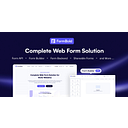
FormBold (No-Code & Automation): FormBold is a no-code form backend that sends submissions to email, Slack, Telegram, Google Sheets, and more. Pricing: from $0/mo. (data verified July 2026)
Transparency: if you buy through our links we may earn a commission, at no extra cost to you. Rankings cannot be bought. How we rate tools
FormBold is a free form backend for any website. It lets you collect form submissions and receive them directly in your email, Slack, Telegram, Notion, Google Sheets, or other tools — without writing any server-side code. Simply paste one URL into your HTML, React, Next.js, WordPress, Webflow, or static site form, and start receiving submissions in under 60 seconds.
FormBold is built for developers, freelancers, agencies, and small businesses who need a quick, scalable way to handle form data. It’s ideal for contact forms, booking forms, feedback forms, job applications, and surveys. It is not designed for large enterprise teams needing advanced CRM workflows or custom on-premise hosting.
Use FormBold to: set up a contact form that emails your team instantly, route job applications to Slack or Notion, allow file uploads from users, send auto-reply confirmations, and redirect users to a thank-you page after submission. Its spam protection and reCAPTCHA integration keep bots out.
Editorial score from our review methodology — not user ratings.
FormBold pricing: from $0/mo.
For comparison: the median starting price in No-Code & Automation is $20/month, measured across 202 tools we track. See the full SaaS Pricing Index →
5 forms, 100 submissions/month, 2 target email addresses, reCAPTCHA integration, basic statistics, basic spam filter, email-only connect, community support.
100 forms, 3,000 submissions/month, 50 target email addresses, reCAPTCHA, detailed statistics & data export, advanced spam filter, form app connections, priority email support, file attachment, webhook access, custom redirects, CSV export, allow/disable domains, customizable form subject, auto responder, no FormBold branding.
500 forms, 15,000 submissions/month, 300 target email addresses, all Starter features plus advanced integrations and support.
300 forms, 5,000 submissions/month, 100 target email addresses, all Starter features. Best for small businesses and startups.
Free trial: Start with the Free plan — no credit card required. Upgrade anytime.
Don’t take our word for it — ask your AI about FormBold




Taskade is a no-code AI app builder to clone, customize, and deploy live dashboards, CRMs, and portals.

Twin: autonomous AI agents for Slack & Gmail. Automate lead gen, outreach, ops.

Teable is an AI-powered spreadsheet that turns data into custom apps and workflows.

Audiorista is a no-code app builder for creators to launch branded iOS/Android apps and monetize content.
Compare: FormBold vs Taskade FormBold vs Twin FormBold vs Teable FormBold vs Audiorista