
Preview, share, and get feedback on HTML5 banner ads and social ad mockups with Adpiler Com.
Free·from $39/mo
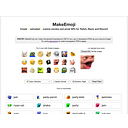
MakeEmoji (Design & Creative): Free online emoji maker to create custom animated emojis and emotes from any image for Discord, Slack, and Twitch. Pricing: Free with optional pro features (no pricing data available on site). (data verified July 2026)
Transparency: if you buy through our links we may earn a commission, at no extra cost to you. Rankings cannot be bought. How we rate tools
MakeEmoji is a free online emoji maker that lets anyone create custom static or animated emojis and emotes from an image, photo, or AI prompt. Used by over 2 million creators, it solves the problem of needing platform-specific upload formats and sizes for Discord, Slack, and Twitch.
Perfect for Discord server admins, Slack workspace owners, Twitch streamers, and social media teams who want branded reactions and emotes. Not for users needing vector editing or offline desktop software.
Upload a PNG, JPG, GIF, or WebP to quickly crop and export a chat-ready emoji. Use Emoji AI Studio to generate an emoji from a text prompt. Browse popular categories like memes, animals, and games for inspiration and download all as ZIP.
Editorial score from our review methodology — not user ratings.
MakeEmoji pricing: Free with optional pro features (no pricing data available on site). Billing model: Free.
For comparison: the median starting price in Design & Creative is $12/month, measured across 274 tools we track. See the full SaaS Pricing Index →
Access the core emoji maker: upload images, use AI studio, create and download emojis for Discord, Slack, and Twitch. No credit card required.
No paid plans are listed on the website at this time. Pricing may be added later.
Don’t take our word for it — ask your AI about MakeEmoji




Preview, share, and get feedback on HTML5 banner ads and social ad mockups with Adpiler Com.

AI-powered carousel maker for LinkedIn, Instagram & TikTok — free plan, PRO from $12/mo.

Uxcel is an interactive learning platform for UX design, PM, and AI skills for busy professionals.

AI-powered branding platform generating logos, websites, social assets, and print materials from a business name.
Compare: MakeEmoji vs Adpiler Com MakeEmoji vs aiCarousels MakeEmoji vs Uxcel MakeEmoji vs Design.com