AI Image & Video Tools 323 tools
AI Image & Video tools are software platforms that use artificial intelligence to generate, edit, enhance, and analyze visual content. From creating brand assets and product mockups to automating video editing and generating realistic animations, these tools help marketers, content creators, designers, and businesses save time while scaling their visual output.
When choosing the right tool, consider your primary use case (generation vs. editing), pricing model (subscription vs. pay-per-use), availability of a free tier, output resolution, customization options, and integration with your existing workflow. Compare key features like style control, batch processing, API access, and video length limits to find the best fit for your budget and skill level.
Every tool reviewed in plain English, scored on 8 dimensions, and matched to your stack. Zero sponsored placements — what ranks, ranks because it fits.
Answer a few questions about your needs and we will match you with the right tool from thousands indexed.
Median starting price across 4,055 tools with published pricing: $19.99/month. See the full SaaS Pricing Index →

-10% with promo code FRIENDSOFDATABAR

-25% Off with code 6M25OFF

10% off with Promo Code SAASPARTOUT

10% off with Promo Code SAASPARTOUT

-10% for3 months with promo code saaspartout

-5€ with code AFF5PROMO

25% off with our activation link

-15% with promo code FRIEND15
25% off with discount coupon b9fFFEU5

20% off with promo code GIMME20%OFF

-20% on the first payment with promo code SAASPARTOUT

-20% OFF discount with code BIGDEAL
100% Ads Credit on what you spend. UP to 6000$

-10% with promo code saaspartout

-10% with promo code SAASPARTOUT

20% off first month with code 8TDSFITU

-5% on all your payment with code SAASPARTOUT

10% off with cupon 10OFF

1 month Free

get -20% for the first 3 months usign our link

-38€ coupon. Digit "saaspartout" at checkout.

-15% with promo code FRIENDSOFKEYTOMIC

Vadoo is an all-in-one AI platform for generating videos and images using text prompts, with built-in hosting, editing, and analytics.

FlexClip is a browser-based video editor with AI text-to-video, voiceovers, auto subtitles, and a 4M+ stock media library.

Flixier is a browser-based AI video generator and editor — create, refine, and finish videos in one timeline workflow.

Elai.io is an AI video generator that creates videos with digital avatars from text—no camera, microphone, or actors needed.

Gling ◆
Gling is AI video editing software that auto-removes silences, filler words, and bad takes for YouTube creators.

Synthesia is an AI video platform that lets you create professional videos with digital avatars in 160+ languages, no cameras or actors needed.
Revid AI turns text, links, or music into viral-ready short videos for TikTok, Instagram, and YouTube — no editing skills needed.

Breakout Clips creates scroll-stopping AI video ads & social posts in 60 seconds from templates or text prompts.

Descript is a text-based video and audio editor that transcribes, records, and publishes with AI features like voice clones and captions.
InVideo AI generates complete videos from a text prompt – script, clips, subtitles, music, and voiceover in one go.

Fizzly AI ◆
Fizzly AI lets you create realistic AI influencers and characters for social media content.

24i is a flexible, data-driven video streaming platform for OTT, PayTV, and broadcasters.

2Dto3D App converts a single product photo into a realistic, production-ready 3D model in about 5 minutes.

3dEYE is an AI-powered cloud video surveillance platform with plans starting at $200/mo.

Adventr is an AI-powered interactive video and game creation platform for building branching stories, ads, and experiences.

Aether App is an AI video generation platform for creating studio-quality videos from text prompts.

AI Anime Image transforms photos into anime art – Ghibli, Pixar, Naruto & more – starting at $5.99/mo.

Ai Dancing Generator Mny86Zgb creates realistic dancing videos from photos and text.

AI Dating Photos scores and optimizes your dating profile photos with AI for better matches on Tinder, Bumble, Hinge, and more.

AI Deepfake Maker is a free AI face swap tool for realistic photos and videos.

AI Image Detector: free tool to instantly verify if an image is AI-generated, with confidence scores and privacy-first handling.
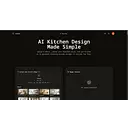
Upload a photo, pick a style, and generate realistic AI kitchen design ideas in seconds with Ai Kitchen Design.

AI Video Dubbing: translate talking-head videos into 29 languages with voice preservation, lip sync, and subtitles.

AIFluence Clips turns product images into authentic UGC-style videos featuring AI influencers, perfect for social media marketing.
AiVATAR is an AI avatar video creation platform that turns text into professional videos in 140+ languages, saving up to 90% cost and time.

AnimateX is an AI platform for creating anime-style images and videos, with pricing from $10.49/mo.

Anime Frame transforms your photos into stunning anime-style art. Discover pricing, features, and more.

ArtPrompt: 453+ production-tested AI art prompts for Midjourney, DALL·E, Flux & more. Free to browse.

AutoReels: AI faceless video creation and auto-posting for TikTok, YouTube, and more.

AyeCreate is an AI image, video & photo generator studio with top models like Sora, Veo, Flux, and Kling.

AI Brainrot Video Generator: turn text into viral faceless shorts with automated captions, voices, and backgrounds.

Bria AI is a controllable visual AI platform for enterprises, offering commercially safe image and video generation with API and SDK integrations.

Bulk Image Upscaler: AI-powered batch image upscaling with flexible plans.

Canvave is an AI video creation platform that turns text into stunning videos for marketing, social media, and more.

Captionfy generates automatic, multi-language subtitles for YouTube videos quickly and easily.

CarePhoto is a chat-based AI photo editor and generator with 8+ models, starting at $7.99/mo.

CelebifyAI is an AI image and video generator with 70+ models, face swap, upscaling, and influencer creation.

Cinema8 is an interactive video hosting platform with AI-powered tools, analytics, and lead generation features.

Claid is an AI photo studio that upscales, removes backgrounds, and enhances product images for e-commerce.

CleanVid is an AI video editor that automatically removes silences, filler words, and background noise.

Collov AI: AI-powered virtual staging & photo editing for real estate. Starting at $19/mo.

Colossyan is an AI video generator for creating training videos and courses with avatars, voiceovers, and SCORM publishing.

Coub is an AI-powered platform for creating interactive video ads and shoppable videos without coding.

crayo.io turns long videos into viral clips with AI, starting at $19/mo.

One AI workspace for creators, freelancers, and agencies to generate and edit images, video, audio, and text.

dadan is an AI-powered video platform to record, edit, and interact with videos—turning views into leads.

DeepImg AI is a free all-in-one AI photo generator and editor for face swapping, background removal, and more.
AI video generator & animation tool – turn text, images, and video into anime, realistic, or artistic styles. Plans from $6.99/mo.

Erase.bg removes image backgrounds using AI, handling complex edges in seconds—free to start, paid plans for bulk use.

Everypixel.com is an AI-powered stock image search engine that aggregates results from 50+ sources, both free and paid.
Explore the marketplace with your AI




Common questions about the SaaSpartout marketplace
What is AI Image & Video software?
AI Image & Video software refers to applications that leverage machine learning models to create, modify, or analyze visual media. These tools can generate images from text prompts, remove backgrounds, upscale resolution, create short video clips, and automate editing tasks without manual intervention.
How do I choose the best AI Image & Video tool for my needs?
Start by defining whether you need image generation, video creation, or editing. Then evaluate the tool’s output quality, maximum resolution or video length, ease of use, available styles or templates, and whether it offers API access for integration. Pricing models vary widely, so compare free plans, trial limits, and subscription costs before committing.
Do AI Image & Video tools offer free plans?
Many AI Image & Video tools provide a free tier with limited credits or lower resolution outputs. Some offer a free trial period for advanced features, while others have a permanent free plan for basic generation or editing. Check each tool’s pricing page for details on usage caps and watermarks.
What is the typical cost of AI Image & Video software?
Costs range from free to hundreds of dollars per month, depending on features and usage volume. Entry-level paid plans often start around $10–$30/month for moderate usage, while professional or enterprise tiers can exceed $100/month for high-resolution output, batch processing, and commercial licenses.
Can AI Image & Video tools work with my existing design software?
Yes, many AI tools offer integrations with popular design platforms like Adobe Photoshop, Canva, or video editing suites through plugins, APIs, or export options. Check the tool’s documentation for supported file formats and direct integration capabilities to ensure smooth workflow compatibility.