Customer Support Tools 234 tools
Customer Support software helps businesses manage and respond to inquiries from their users through channels like email, live chat, phone, and social media. These platforms centralize tickets, automate repetitive tasks, and track response times so you can provide consistent, helpful service. Whether you are a solo founder, a growing startup, or an enterprise team, these tools are essential for keeping customers satisfied and reducing churn.
When choosing a tool, compare features like ticket routing, live chat, knowledge base, and self-service portals. Also consider your budget: many providers offer free plans for small teams, paid tiers typically start around $15-50 per agent per month, and enterprise plans can go higher. Prioritize ease of integration with your existing CRM, help desk, or communication apps.
Every tool reviewed in plain English, scored on 8 dimensions, and matched to your stack. Zero sponsored placements — what ranks, ranks because it fits.
Answer a few questions about your needs and we will match you with the right tool from thousands indexed.
Median starting price across 4,055 tools with published pricing: $19.99/month. See the full SaaS Pricing Index →

20% off with promo code GIMME20%OFF

-10% with promo code saaspartout

-10% with promo code FRIENDSOFDATABAR

-20% on the first payment with promo code SAASPARTOUT

-25% Off with code 6M25OFF

-15% with promo code FRIENDSOFKEYTOMIC

10% off with Promo Code SAASPARTOUT

1 month Free

25% off with our activation link

10% off with cupon 10OFF

10% off with Promo Code SAASPARTOUT

-20% OFF discount with code BIGDEAL

20% off first month with code 8TDSFITU

-15% with promo code FRIEND15
100% Ads Credit on what you spend. UP to 6000$

-10% for3 months with promo code saaspartout
-5€ with code AFF5PROMO

-10% with promo code SAASPARTOUT

-38€ coupon. Digit "saaspartout" at checkout.
-5% on all your payment with code SAASPARTOUT
25% off with discount coupon b9fFFEU5

get -20% for the first 3 months usign our link
Charla is an AI-powered live chat and chatbot platform that automates support across website, WhatsApp, Instagram, Telegram, and Messenger.

Build and deploy AI chatbots for customer support and sales automation—trained on your website, no coding required.

Gorgias is an AI-powered ecommerce helpdesk that unifies email, chat, and social with live Shopify data for faster support.

HelpCrunch is a customer communication platform combining live chat, chatbots, knowledge base, email marketing, and popups.

SignalZen is an AI-powered live chat and email support platform that integrates with Slack, Teams, and Google Chat.

Jotform AI Agents let you build and deploy no-code AI assistants for customer support across 7+ channels.

LiveChat turns website visitors into conversations with real‑time chat, chatbots, and ticketing—all in one dashboard.

Live chat & AI chatbot that works inside Microsoft Teams, Slack, and Google Chat. Plans from $21/mo.
Chatfuel is an AI platform that handles client messages, bookings, and ads on WhatsApp, Instagram, and Facebook for service businesses.
Chatwoot is an AI-powered, open-source customer support platform with unified inbox, live chat, and omnichannel messaging—free plan available.
42Chat Com delivers curated AI chatbots for SMS, web, and WhatsApp with 95%+ accuracy and 3-second response times.

ACF Technologies combines AI-powered queue management, appointment booking, and customer engagement in one platform.

Achille Ai is an AI customer support agent for e-commerce that automates up to 50% of tickets in a month.
Activechatai is a 360° customer service automation platform with AI chatbots, live chat routing, and no-code bot builder.

AI in-app guidance that reads your interface and guides users step-by-step to task completion.

Agent23.AI
Agent23.AI is an AI customer service platform that handles calls, texts, and emails 24/7 for home services, manufacturing, SaaS, and more.

Aimdoc is an AI agent that identifies, qualifies, and activates buyers on your site and in your product.

Animam.ai: AI agent for your website that answers 24/7, qualifies leads, and books meetings—from €29/mo.

AnswerHub automates repetitive Slack questions and builds a knowledge base from your FAQs, docs, and websites.

Antlere
Antlere is an AI-powered Customer Experience Management (CXM) platform for omnichannel support, smart surveys, and actionable insights.

Appcues is a customer engagement platform for web and mobile, helping teams deliver personalized in-app experiences.
Appzi is a simple, powerful user feedback tool for websites and SaaS products.

ArtiBot is a free AI chatbot for lead capture, appointment scheduling, and payments on websites and WordPress.

Assembled
Assembled is a unified workforce management platform for human agents, AI agents, and BPOs, with pricing from $0.65/conversation.

AssistLoop.ai lets you train an AI customer service agent on your content in 5 minutes, answer 24/7 in 10 languages, and book meetings or capture leads.

Atlas is AI-powered customer support software with ticketing, omnichannel chat, and session recording starting at $39/seat/mo.

Availity: The nation's leading healthcare network for eligibility, claims, and payments. Streamline workflows, reduce denials, and accelerate cash flow.

Bettermode is an all-in-one customer community platform to engage, support, and grow your audience with no-code tools.

BlueTickets is an affordable helpdesk for small teams, starting at $4.99/mo, with a 30-day free trial.

botts.ai is a Swiss-hosted AI agent platform that deploys across web, voice, and internal chat to automate customer support.

BubblaV AI chatbot answers customer questions 24/7, handles order tracking, returns, and sales—free plan available.

Bugreporting is a video feedback tool that lets clients record website bugs and syncs them to your workflow.

CalmDex is an AI agent platform that turns conversations into captured leads, qualified appointments, and seamless team handoffs.

CandyDocs is a branded hub for product docs, knowledge base, roadmap, changelog, and feedback, with MCP-compatible AI integration.

Canny.io is an AI-powered customer feedback platform that captures insights from sales and support conversations to drive product decisions and revenue.
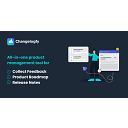
Changelogfy is an all-in-one platform to capture feedback, prioritize features, and announce product updates.
Chatpressai
Chatpressai is a lightweight AI chatbot plugin for WordPress, with a free forever plan and simple paid tiers.

Chatronix.ai lets you build AI chatbots for lead generation and customer support, embedded on your website.

Chatstack is self-hosted live chat software with a one-time fee, no monthly fees, and full customization.
Chattigo is an AI-powered omnichannel customer service and sales platform, specializing in WhatsApp, trusted by 800+ Latin American companies.
Chaty lets you add WhatsApp, Messenger, and 20+ chat buttons to your website to engage customers on their preferred apps.

ChirpBack unifies feedback, surveys & announcements to close the loop with customers.

Churnkey is growth infrastructure for subscription companies to reduce churn, recover failed payments, and optimize LTV with AI-powered retention tools.

Clairvio is an on-demand session replay tool that lets support and engineering teams watch live user sessions via magic links.

Clerk Chat adds SMS, WhatsApp, and AI-powered voice/messaging agents to Microsoft Teams with Operator Connect.

ClickConnector
ClickConnector is an all-in-one customer support platform for SaaS with AI helpdesk, knowledge base, trackers, and more.

ClientSuccess is a customer success platform to reduce churn & increase revenue.

Clinicsys is a clinic management platform with scheduling, billing, and patient records, starting at $29/mo.
Cloodot is an AI employee for sales and support, unifying inbox channels and automating actions.

Commabot is a customer support automation tool that helps teams resolve issues faster with AI-driven workflows.
Explore the marketplace with your AI




Common questions about the SaaSpartout marketplace
What is Customer Support software?
Customer Support software (also called a help desk or ticketing system) is a platform that organizes and manages incoming customer requests. It converts emails, chats, and messages into tickets that can be assigned, tracked, and resolved in one place.
How do I choose the best Customer Support tool for my business?
Start by listing your primary channels (email, live chat, phone, social). Then evaluate ticket management, automation rules, reporting, and integrations with your existing tools. Look for a free trial or a free plan to test usability and response workflows.
Is there free Customer Support software available?
Yes, many providers offer free plans for small teams (typically up to 2-10 agents) with limited features like ticketing and basic email support. Free plans often lack advanced automation, omnichannel options, or analytics, but can work for early-stage businesses.
What is the typical cost of Customer Support software?
Paid plans generally range from $15 to $50 per agent per month for mid-range features. Enterprise plans with advanced customization, dedicated support, and higher ticket volumes can start at $70-150+ per agent per month.
What key features should I compare when evaluating Customer Support tools?
Look for ticket automation, multi-channel support (chat, email, phone, social), a shared inbox, collision detection (to avoid duplicate replies), knowledge base capability, reporting dashboards, and integration with CRM or project management apps. Mobile app availability is also important for remote teams.